After installing the Internet Explorer you will
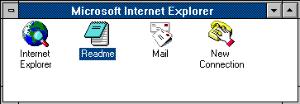
find this icons: Readme, mail, Internet Explorer, y New Connection.
Select "New Connection"
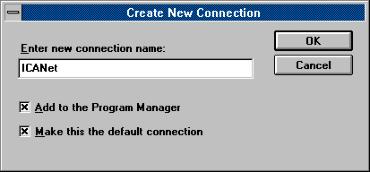
In this window "Create New Connection"
enter the service where you wont to be connected to, in this case ICAnet,
and select the options as shown.
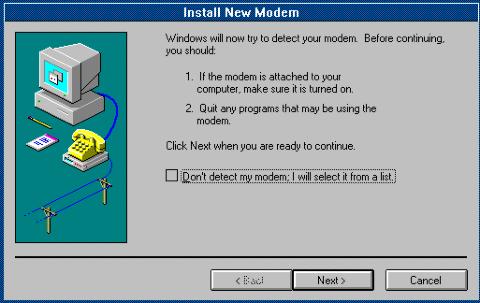
Windows will now try to find or install your
modem.
Follow those instructions.
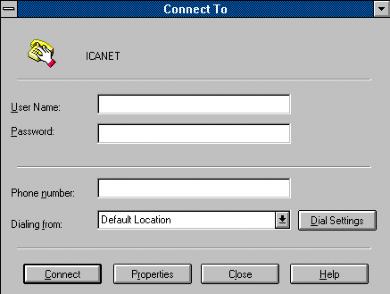
In the window "Connect TO" fill in the
data, and then select "Properties".
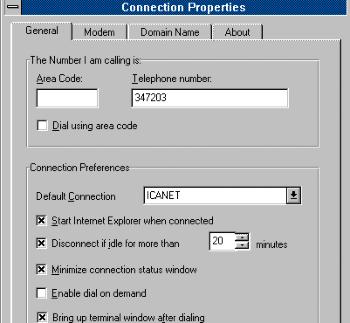
At the window "Connection Properties"
under "General" make sure That "Bring up terminal after dialing"
is checked as shown and let every thing else as it is.
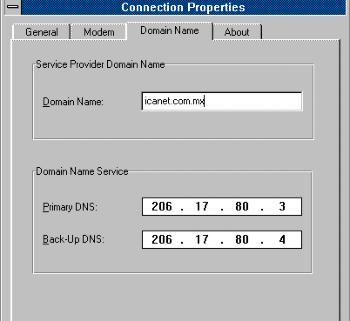
Than select "DOMAIN NAME" and enter the
following data:
Domain Name: icanet.com.mx
Primary DNS207.248.192.11
Secondary DNS207.248.192.12
after that it should look like above only with
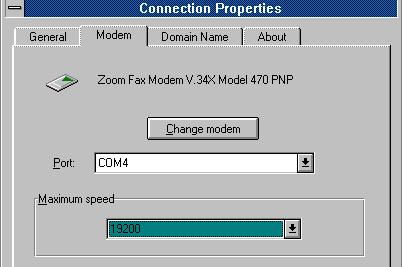
different Numbers, than select "MODEM"
Now check if your selected Modem, comport
and max. speed is correct, else change it, proceed to the next
step.

 ICA Net
Installations Instructions
ICA Net
Installations Instructions